
 Google
How can we help?
How to edit profile on kennflik?
Your KennFlik profile is the face of your brand on the platform. Whether you’re a seller or a buyer, ensuring that your profile is complete, accurate, and up-to-date is essential for making a great impression. Here’s how to edit your profile and make the changes you need.
Step-by-Step Guide to Editing Your KennFlik Profile
Log in to Your KennFlik Account
-
- Head to the KennFlik website and log in with your credentials.
Select the Profile Icon
-
- Once logged in, click on your profile icon, usually located in the upper-right corner of the page.
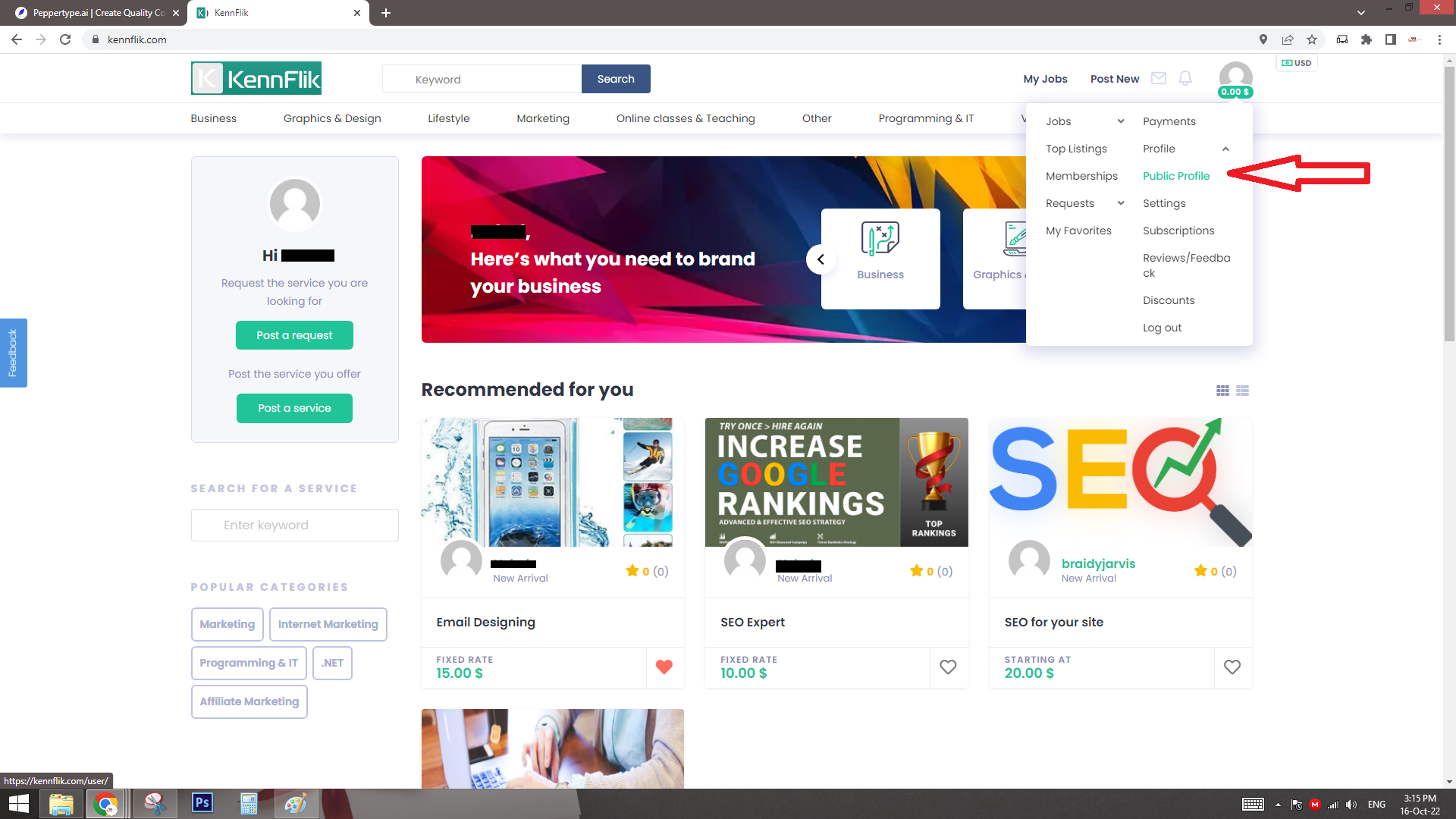
Edit Your Information
-
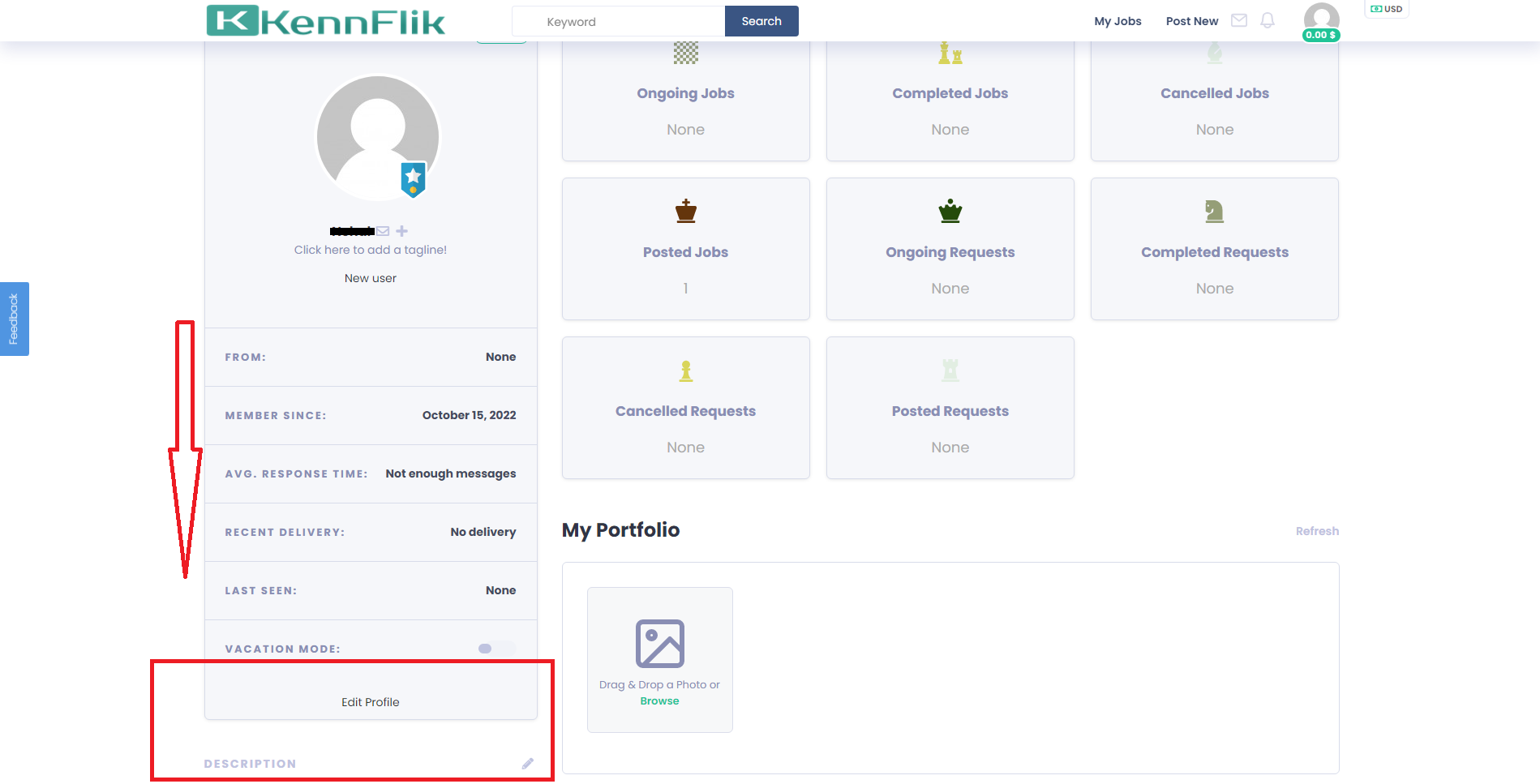
- After selecting the profile icon, you’ll be taken to your profile page, where you can update:
- Name: Change or correct your display name to what you want buyers or sellers to see.
- Email Address: Ensure your email is up-to-date for notifications and account recovery.
- Profile Picture: Upload a new image that represents you or your brand.
- Bio/Description: Write a compelling bio to stand out, explaining who you are and what you offer.
- After selecting the profile icon, you’ll be taken to your profile page, where you can update:
Review Job Stats
-
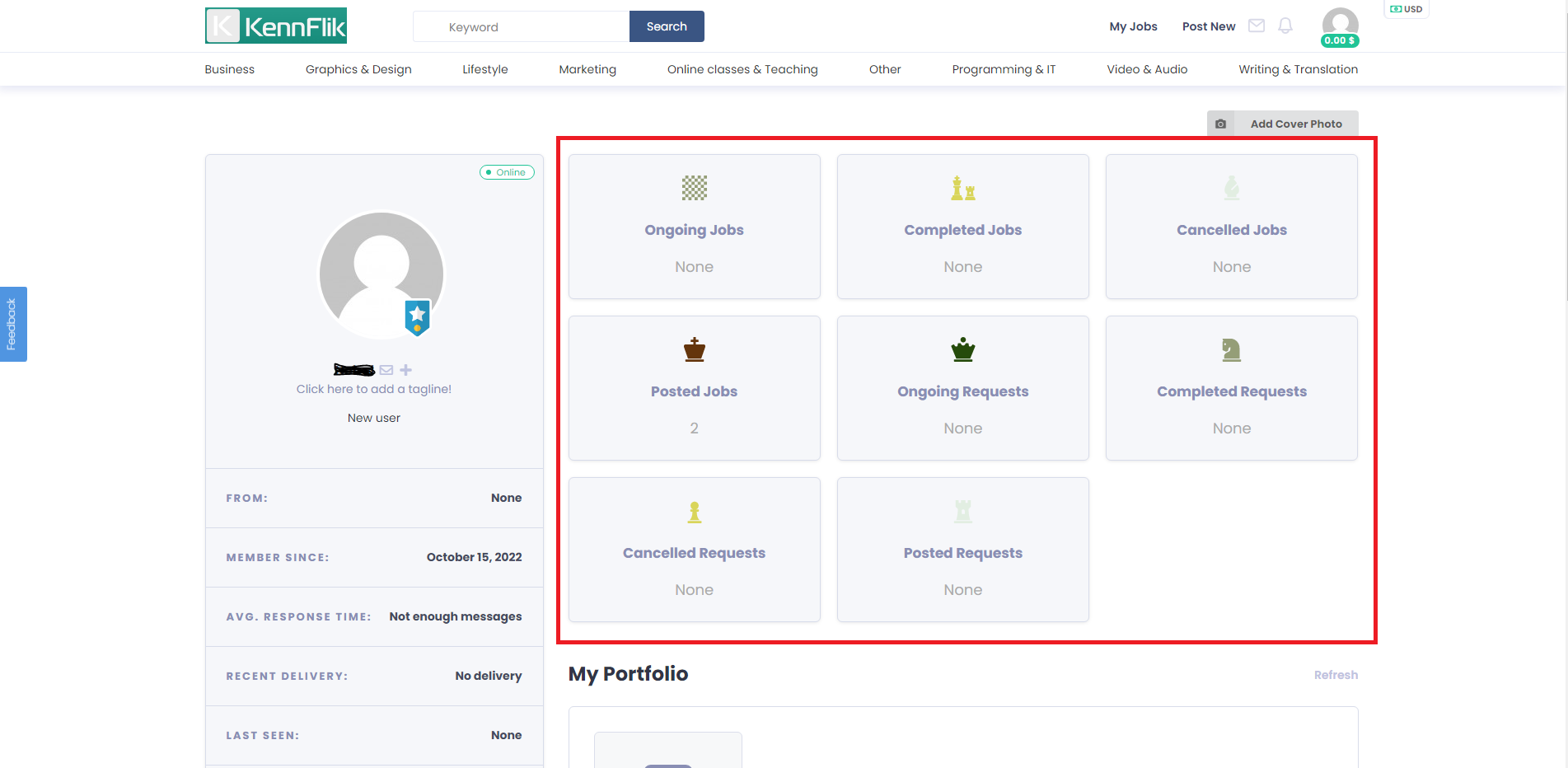
- You can also view important stats on your profile, such as:
- Job completion rates
- Reviews
- Response times
- You can also view important stats on your profile, such as:
Save Changes
-
- Once you’ve made all the changes, don’t forget to click the “Save” button to ensure your updates are applied.
Tips to Make Your Profile Stand Out
- Use a Professional Photo: A clear, professional image will give potential clients confidence in working with you.
- Write a Clear Bio: Highlight your skills, experience, and what makes you unique.
- Keep Your Info Updated: Regularly review your profile to ensure your contact info, services, and offerings are current.
By keeping your profile updated, you enhance your chances of attracting more clients and standing out in the competitive KennFlik marketplace.


